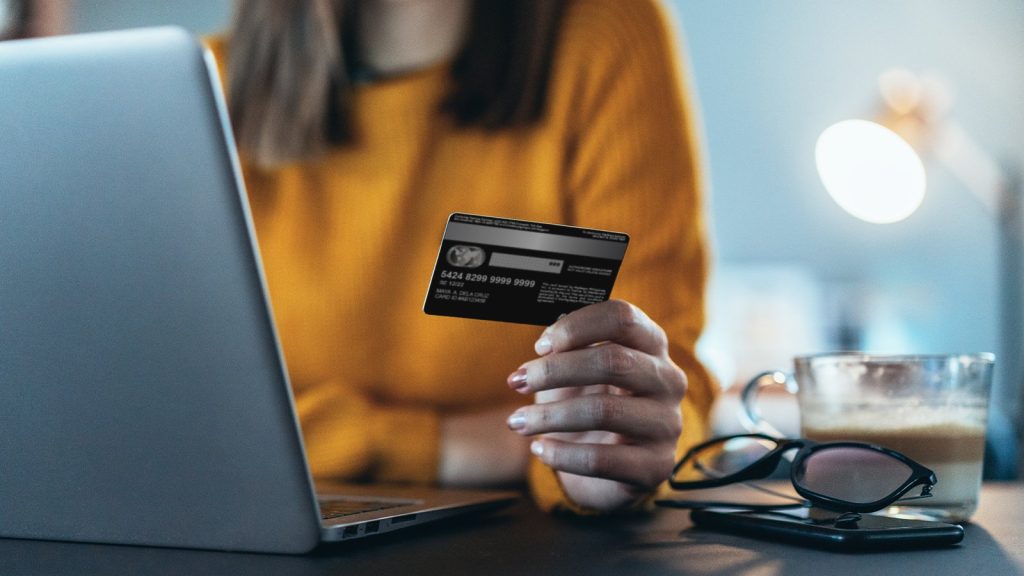
Tips to Safely Use Credit Cards Online – Using a credit card online is convenient, fast, and widely accepted—but it also exposes you to risks like fraud, phishing, and data theft if you’re not careful.
- 1. Use Trusted and Secure Websites Only
- 2. Enable Two-Factor Authentication (2FA)
- 3. Never Save Card Details on Random Websites
- 4. Use Virtual Credit Cards (If Available)
- 5. Monitor Transactions Regularly
- 6. Avoid Public Wi-Fi for Payments
- 7. Set Up Transaction Alerts
- 8. Use Strong and Unique Passwords
- 9. Be Careful of Phishing Emails
- 10. Keep Your Device Secure
- 11. Use Secure Payment Gateways
- 12. Check Merchant Reputation Before Buying
- Why Credit Card Safety Matters
- Conclusion
- FAQ (Frequently Asked Questions)
Cybercriminals are constantly improving their tactics, and a single mistake—like entering card details on a fake website—can lead to financial loss or identity theft.
The good news is that most risks are preventable.
Below are 12 detailed, practical, and security-focused tips to help you safely use credit cards online and protect your financial information.
1. Use Trusted and Secure Websites Only
Always make sure you are shopping on legitimate websites before entering any payment details.
What to check:
- URL starts with HTTPS (not HTTP)
- Padlock icon in the browser
- Correct spelling of the website domain
Fake websites often mimic real brands with slight spelling changes.
Example risk: amaz0n.com instead of amazon.com
Never proceed if the website looks suspicious or unprofessional.
Read Also : Ways to Boost Financial Awareness for Better Money Management and Long-Term Stability
2. Enable Two-Factor Authentication (2FA)
Two-factor authentication adds an extra layer of security beyond just your password.
Even if someone steals your password, they still cannot access your account without a second verification step (OTP, SMS code, or app approval).
Why it matters:
- Prevents unauthorized access
- Protects banking and shopping accounts
- Stops fraud attempts in real-time
Most banks and payment apps already support this feature—make sure it is activated.
Read Also : 10 Easy Side Hustles from Home You Can Start to Earn Money Today
3. Never Save Card Details on Random Websites
Many online stores offer “Save card for future payments,” but this can be risky.
When NOT to save:
- Unknown websites
- One-time purchase stores
- New or unverified platforms
If the website gets hacked, your saved card data may be exposed.
Safer alternative: Use virtual cards or re-enter details manually.
Read Also : 6 Best Online Banks With High-Yield Savings Accounts 2026
4. Use Virtual Credit Cards (If Available)
A virtual credit card is a temporary card number generated by your bank for online purchases.
Benefits:
- Limits exposure of your real card
- Can be deleted or changed anytime
- Often has spending limits
- Reduces fraud risk significantly
Many modern banks and fintech apps now offer this feature for safer transactions.
Read Also : 10 Mistakes That Are Killing Your Savings Plan
5. Monitor Transactions Regularly
Don’t wait until the end of the month to check your statement.
What to do:
- Review transactions daily or weekly
- Check for unknown charges
- Act immediately if something looks suspicious
Early detection can prevent bigger financial damage.
Read Also : Top 10 New Bank Account Promotions in 2026
6. Avoid Public Wi-Fi for Payments
Public Wi-Fi (cafes, airports, malls) is often unsecured and can be easily exploited.
Hackers can:
- Intercept your data
- Steal login credentials
- Track your browsing activity
Rule: Never make payments or enter card details using public Wi-Fi.
Read Also : 10 Best Online Payment Apps in 2026
7. Set Up Transaction Alerts
Most banks allow you to receive instant notifications for every transaction.
Why this is important:
- Instant fraud detection
- Full control over spending
- Immediate awareness of unauthorized charges
You should enable:
- SMS alerts
- Email notifications
- Mobile app push alerts
Read Also : Fix Touchpad Problems in Windows 11
8. Use Strong and Unique Passwords
Weak passwords are one of the biggest security risks online.
Best practices:
- Use a mix of letters, numbers, symbols
- Avoid personal info (birthdays, names)
- Never reuse passwords across accounts
Better option: Use a password manager for security.
Read Also : How to Know if Your License is Suspended
9. Be Careful of Phishing Emails
Phishing is one of the most common online scams.
Warning signs:
- Emails asking for card details
- Urgent messages like “Your account will be locked”
- Suspicious links or attachments
Never click unknown links or enter personal information from email prompts.
Read Also : 10 Best Construction Estimating Software in 2026
10. Keep Your Device Secure
Your device is your first line of defense.
Security steps:
- Install antivirus software
- Keep your system updated
- Avoid downloading unknown apps or files
- Use screen lock and biometric security
Outdated devices are easier targets for hackers.
Read Also : 5 Best Universities In Australia
11. Use Secure Payment Gateways
Always prefer trusted payment systems instead of direct card entry.
Examples:
- PayPal
- Apple Pay
- Google Pay
- Verified bank gateways
These platforms act as a security layer between your card and the merchant.
12. Check Merchant Reputation Before Buying
Before purchasing from a new store, do a quick background check.
What to look for:
- Customer reviews
- Website age and credibility
- Social media presence
- Refund and return policy
If something feels suspicious, it’s better to avoid the transaction.
Why Credit Card Safety Matters
Credit card fraud is increasing globally due to:
- Fake shopping websites
- Data breaches
- Phishing attacks
- Malware on devices
According to financial consumer protection guidance from Consumer Financial Protection Bureau, most fraud cases happen due to unsafe user behavior—not system failure.
Conclusion
Using a credit card online is convenient, but it also comes with risks if you’re not careful. Cybercriminals are constantly finding new ways to steal financial information, which makes online security more important than ever.
By following simple but effective steps—such as using secure websites, enabling two-factor authentication, avoiding public Wi-Fi, and monitoring your transactions—you can significantly reduce the risk of fraud. Virtual credit cards and strong password habits also add an extra layer of protection.
Ultimately, safe online shopping is about awareness and discipline. The more cautious you are, the safer your financial information will remain.
FAQ (Frequently Asked Questions)
1. Is it safe to use a credit card for online shopping?
Yes, it is generally safe if you shop on trusted websites and follow security practices like HTTPS verification and 2FA.
2. What is the safest way to pay online with a credit card?
Using secure payment gateways or virtual credit cards is one of the safest methods for online transactions.
3. How can I tell if a website is safe?
Check for HTTPS in the URL, a padlock icon, and trusted payment options. Avoid suspicious or unknown websites.
4. Should I save my credit card details online?
It is not recommended to save card details on unknown or untrusted websites to reduce the risk of data theft.
5. What should I do if my credit card is used fraudulently?
Immediately contact your bank, block your card, and report the unauthorized transactions for investigation.